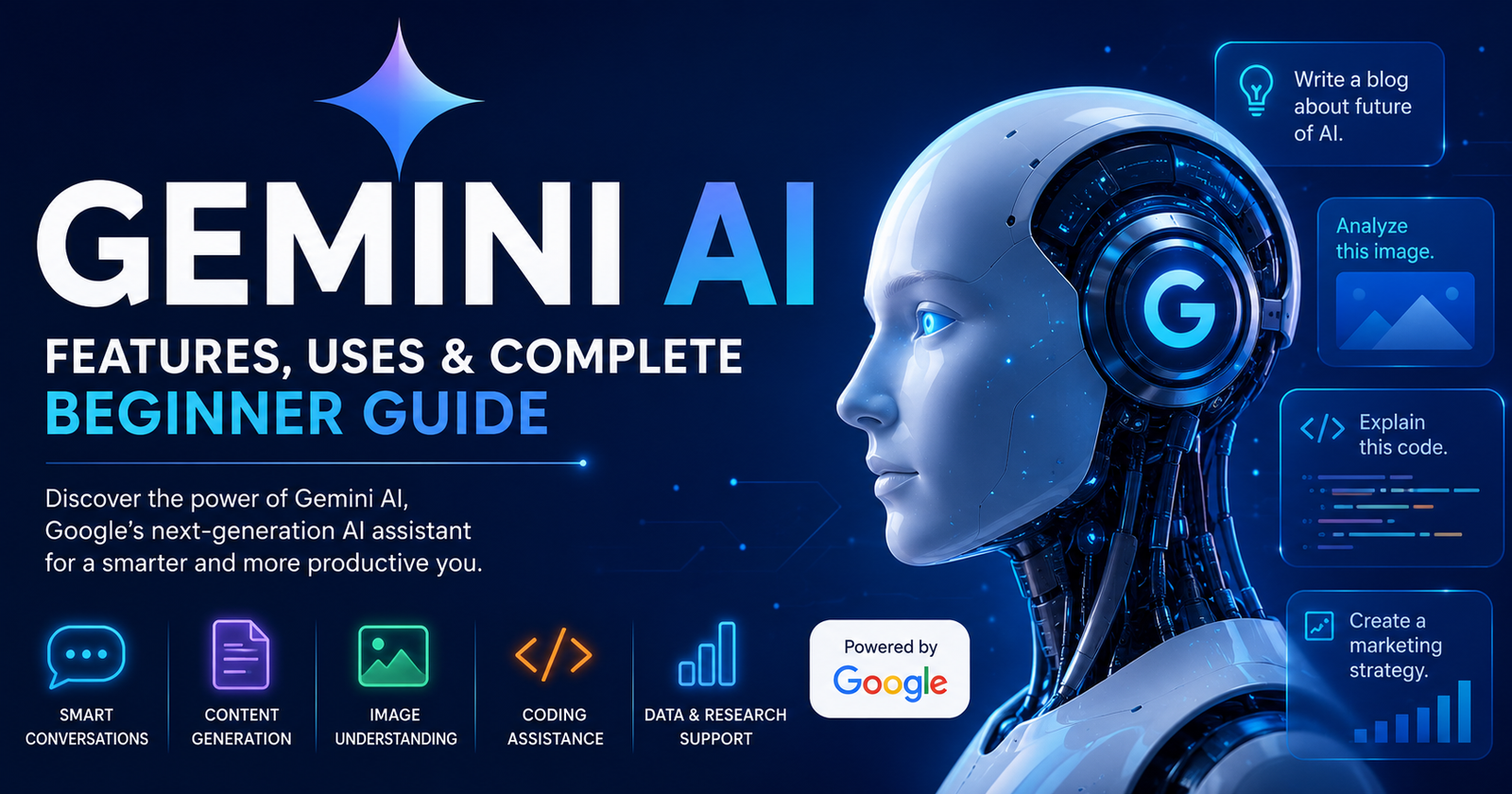
Artificial intelligence has become a part of our daily lives. Many people now use AI to write content, answer questions, create images, solve coding problems, and learn new skills. One of the biggest AI tools available today is Gemini AI.
Gemini AI is Google’s advanced AI assistant. It helps users complete many tasks in a short time. Whether you are a student, business owner, developer, content creator, or marketer, Gemini AI can improve your work and save valuable time.
Unlike older AI models, Gemini AI understands text, images, audio, videos, and even code. This makes it one of the most powerful AI models available today.
In this guide, you will learn everything about Gemini AI, including its features, how it works, pricing, benefits, limitations, and real-world uses. By the end of this article, you will know whether Gemini AI is the right AI assistant for your daily work.
What Is Gemini AI?
Gemini AI is an artificial intelligence model developed by Google. It was created by Google DeepMind to perform many different tasks with high accuracy. Gemini AI can understand language, generate text, answer questions, solve problems, analyze images, and write computer code.
Google designed Gemini AI to work across many Google products. You can use it inside Gmail, Google Docs, Google Sheets, Google Drive, Google Search, Android devices, and many other Google services. This makes daily work much faster and easier.
Unlike traditional chatbots, Gemini AI understands different types of information at the same time. It can look at an image, read text, understand voice commands, and provide useful answers in one conversation.
Many people compare Gemini AI with ChatGPT because both are advanced AI assistants. However, Gemini AI has a strong advantage for users who already work inside Google’s ecosystem. It connects smoothly with Google Workspace and helps users manage tasks without switching between multiple apps.
As Google continues to improve Gemini AI, new features appear regularly. This makes it one of the fastest-growing AI tools available today.
The Evolution of Gemini AI
Before Gemini AI, Google introduced several AI products such as Google Assistant, Bard, and other machine learning models. Bard became popular because it allowed users to chat with Google’s AI directly.
Later, Google replaced Bard with Gemini AI. This was more than a name change. Google upgraded the technology and introduced more powerful AI models capable of understanding text, images, videos, audio, and programming code.
Gemini AI now supports millions of users worldwide. Google continues to improve the system through regular updates. These updates increase accuracy, improve reasoning, and expand the number of tasks Gemini AI can perform.
Today, Gemini AI is available across many Google platforms. It has become an important tool for students, professionals, businesses, teachers, developers, marketers, and creators.
The evolution from Bard to Gemini AI shows Google’s long-term goal of making artificial intelligence available for everyday work. Instead of using many different tools, users can now complete several tasks inside one AI assistant.
How Gemini AI Works
Gemini AI works by using advanced machine learning models that have been trained on large amounts of information. During training, the AI learns patterns in language, images, programming code, and many other types of data.
When you ask Gemini AI a question, it studies your prompt carefully. It understands the meaning of your request instead of simply matching keywords. After understanding your request, it generates a useful and natural response.
Gemini AI can also process different types of information together. For example, you can upload an image and ask questions about it. You can also share a document and request a summary or ask Gemini AI to explain difficult sections in simple language.
Another important feature is its integration with Google’s services. If allowed, Gemini AI can help organize emails, summarize documents, draft replies, create spreadsheets, and assist with presentations.
This combination of language understanding, reasoning, and Google integration makes Gemini AI much more than a simple chatbot. It works like a smart digital assistant that helps users complete everyday tasks more efficiently.
Main Features of Gemini AI
Gemini AI offers many powerful features that make it useful for both personal and professional work. The table below gives a quick overview.
| Feature | How It Helps |
|---|---|
| Text generation | Writes articles, emails, reports, and stories |
| Image understanding | Explains images and answers questions about them |
| Coding assistance | Writes, fixes, and explains programming code |
| Document summarization | Creates short summaries of long documents |
| Google Workspace integration | Works with Gmail, Docs, Sheets, and Drive |
| Translation | Translates text into many languages |
| Brainstorming | Generates ideas for blogs, business, and marketing |
| Research support | Explains complex topics in simple language |
| Learning assistance | Helps students understand lessons and solve problems |
| Conversation | Answers questions in a natural chat format |
One reason why many people choose Gemini AI is its ability to handle many different tasks in one place. Instead of using separate tools for writing, coding, translating, and researching, users can complete all these activities with Gemini AI.
The AI also keeps improving as Google releases updates. New capabilities are added regularly, making Gemini AI more useful for different industries and users.
Benefits of Gemini AI
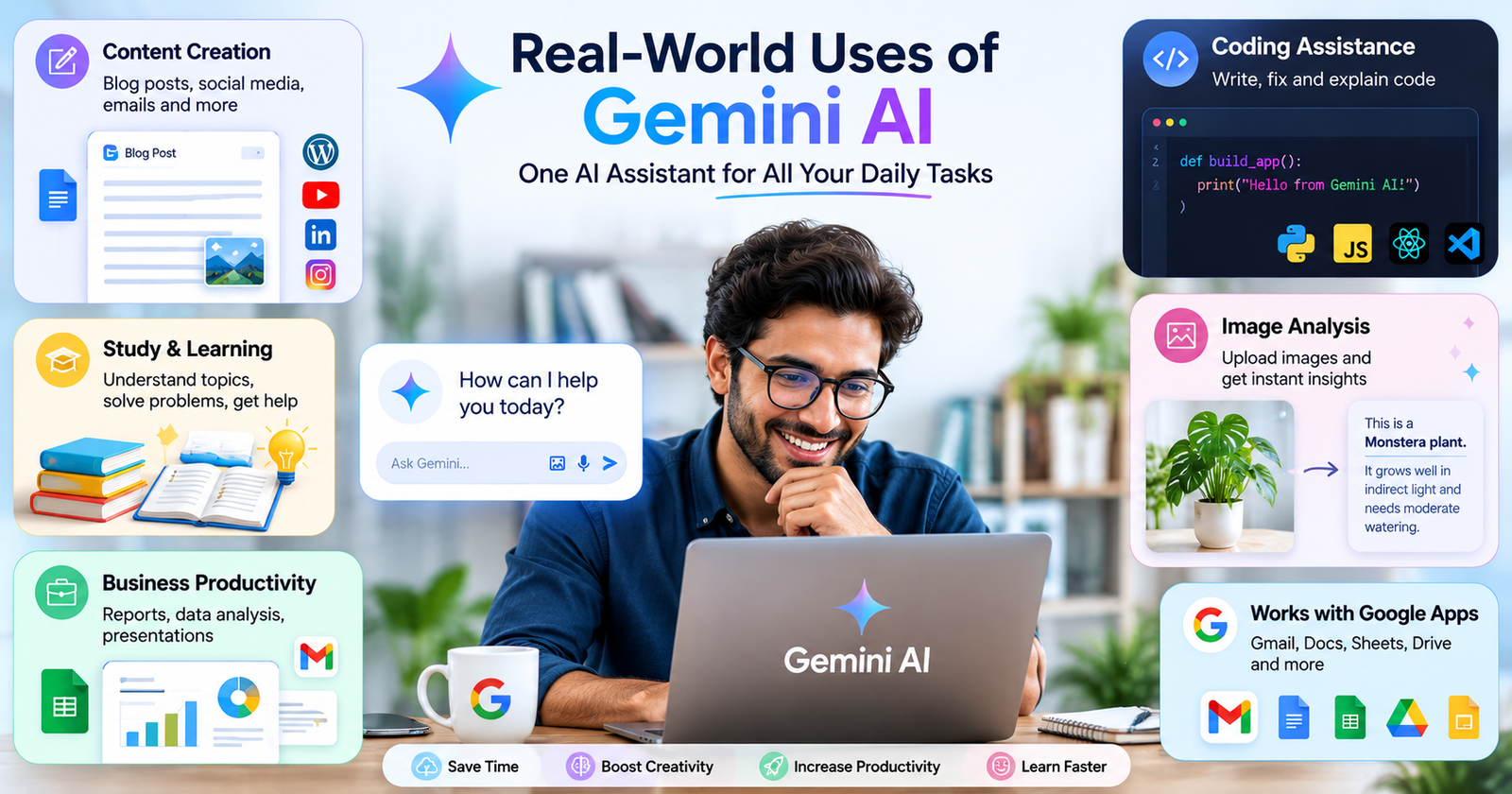
One of the biggest reasons behind the popularity of Gemini AI is that it helps people complete their work faster. Instead of spending hours searching for information or writing content from scratch, users can ask Gemini AI for help and receive useful answers within seconds. This saves time and allows people to focus on more important tasks.
Another major benefit of Gemini AI is its ability to understand different types of content. It can work with text, images, documents, and code in one conversation. This makes it useful for students, teachers, business owners, developers, marketers, and many other professionals.
Gemini AI also works well with Google products. If you already use Gmail, Google Docs, Google Sheets, or Google Drive, Gemini AI can help you write emails, summarize documents, organize data, and create reports without switching between different apps.
The AI continues to improve with regular updates from Google. As new features become available, users can perform even more tasks with better accuracy. This makes Gemini AI a smart long-term tool for both personal and business use.
Gemini AI Models Explained
Google offers different versions of Gemini AI to meet different user needs. Each model is designed for specific tasks and levels of performance. Some models are built for quick responses, while others handle more complex work that requires deeper reasoning.
| Gemini Model | Best For |
|---|---|
| Gemini Nano | Mobile devices and simple AI tasks |
| Gemini Flash | Fast responses and everyday use |
| Gemini Pro | Writing, coding, research, and business tasks |
| Gemini Ultra | Advanced reasoning and complex professional work |
Gemini Nano is designed for smartphones and lightweight tasks. It runs efficiently on supported devices and helps users without relying heavily on cloud processing.
Gemini Flash focuses on speed. It delivers quick answers, making it ideal for daily conversations and simple requests.
Gemini Pro is one of the most popular versions. It offers strong performance for writing, research, coding, and problem-solving. Many professionals choose this model because it balances speed and intelligence.
Gemini Ultra is Google’s most advanced model. It handles difficult reasoning, complex coding, detailed analysis, and demanding business tasks. It is designed for users who need the highest level of AI performance.
Gemini AI Pricing
Google provides both free and paid options for Gemini AI. This allows users to choose a plan based on their needs and budget.
The free version gives access to many useful AI features. It is suitable for students, casual users, and anyone who wants to explore Gemini AI without paying.
The paid version includes access to more advanced AI models, larger context windows, faster performance, and premium features. It is a better choice for professionals, businesses, developers, and content creators who use AI every day.
| Plan | Suitable For |
|---|---|
| Free Plan | Everyday users, students, beginners |
| Paid Plan | Businesses, professionals, developers, creators |
Google may update its pricing and features over time. Before choosing a subscription, it is always a good idea to check the latest plans available in your region.
Gemini AI for Students
Students can use Gemini AI as a learning partner instead of simply searching for answers online. It explains difficult topics in simple language and helps students understand concepts more clearly.
Gemini AI can summarize long chapters, explain science topics, solve math problems, improve grammar, and help prepare assignments. It also supports many languages, making learning easier for students around the world.
Students can ask follow-up questions whenever they need more details. This creates a more interactive learning experience than reading textbooks alone.
Although Gemini AI is a powerful study tool, students should avoid copying answers directly. They should use the AI to improve understanding, check their work, and develop their own knowledge.
Gemini AI for Businesses
Businesses use Gemini AI to improve productivity and reduce repetitive work. Teams can create reports, write emails, prepare presentations, analyze information, and generate ideas much faster.
Customer support teams can use Gemini AI to draft replies and answer common questions. Marketing teams can create blog posts, social media captions, product descriptions, and advertising ideas in less time.
Business owners also benefit from Gemini AI when planning projects, organizing documents, and managing daily tasks through Google Workspace. This reduces manual work and allows employees to focus on activities that require creativity and decision-making.
As AI continues to grow, many companies now see Gemini AI as an important productivity tool rather than just a chatbot.
Gemini AI for Developers
Developers can use Gemini AI to write code, fix bugs, understand programming concepts, and improve software projects. It supports many popular programming languages, making it useful for beginners as well as experienced developers.
When developers face coding errors, Gemini AI can explain what went wrong and suggest possible solutions. It can also generate sample code, improve existing code, and help developers understand new frameworks or libraries.
Many developers use Gemini AI to speed up software development without replacing their own skills. The AI acts as a coding assistant that helps solve problems more efficiently.
It is still important to test AI-generated code before using it in real projects. Human review helps ensure the code is secure, accurate, and works as expected.
Gemini AI for Content Creators
Content creators use Gemini AI to save time and generate fresh ideas. Whether someone writes blogs, creates YouTube videos, manages social media, or runs an online business, Gemini AI can support many creative tasks.
It can generate article outlines, improve writing, create video scripts, suggest titles, write email newsletters, and develop marketing content. Many creators also use Gemini AI to overcome writer’s block and discover new content ideas.
One of the biggest strengths of Gemini AI is that it can adapt its writing style based on the user’s instructions. This allows creators to produce content for different audiences while keeping their work consistent.
Although AI helps speed up content creation, creators should always review and personalize the output before publishing. Adding personal experience and unique insights makes the final content more valuable and trustworthy.
Gemini AI vs ChatGPT
Many people compare Gemini AI and ChatGPT because both are among the leading AI assistants available today. While they share many features, each has its own strengths.
| Feature | Gemini AI | ChatGPT |
|---|---|---|
| Developer | OpenAI | |
| Google Workspace Integration | Excellent | Limited |
| Writing Assistance | Excellent | Excellent |
| Coding Support | Excellent | Excellent |
| Image Understanding | Yes | Yes |
| Research Help | Excellent | Excellent |
| Best For | Google users and productivity | General AI assistance and creativity |
If you use Gmail, Google Docs, Google Drive, and other Google services every day, Gemini AI offers a smooth experience. If your work focuses on creative writing, brainstorming, coding, or general conversations, ChatGPT is also a strong option.
Both tools continue to improve rapidly, and many professionals choose to use both depending on the task.
Limitations of Gemini AI
Although Gemini AI is one of the most advanced AI assistants available today, it is not perfect. Like every AI tool, it has some limitations that users should understand before depending on it for important work.
Sometimes Gemini AI may provide incorrect or outdated information, especially for topics that change quickly. It can also misunderstand a prompt if the instructions are unclear. Giving detailed and specific prompts usually leads to better answers.
Another limitation is that AI cannot replace human judgment. While Gemini AI can generate articles, emails, reports, and code, users should always review the output before using it. This is especially important for legal, financial, medical, or business decisions where accuracy matters.
Gemini AI also depends on internet access for many of its features. Without a stable connection, users may not be able to use all of its capabilities. Understanding these limitations helps users make better decisions and use Gemini AI more effectively.
Tips to Get the Best Results from Gemini AI
Learning how to communicate with Gemini AI can improve the quality of its responses. Instead of asking short or unclear questions, users should provide enough details about what they want. A well-written prompt usually produces a more accurate answer.
For example, rather than asking, “Write about marketing,” you can ask, “Write a 1,000-word beginner-friendly article about digital marketing with examples and a comparison table.” This gives Gemini AI clear instructions and helps it create better content.
Users should also ask follow-up questions if they need more details. Gemini AI remembers the conversation, allowing users to refine answers without starting over.
Another useful tip is to review and edit AI-generated content before publishing it. Adding personal experience, examples, or industry knowledge makes the final work more unique and valuable.
The more you practice writing prompts, the more useful Gemini AI becomes for writing, research, coding, learning, and business tasks.
The Future of Gemini AI
The future of Gemini AI looks very promising. Google continues to invest heavily in artificial intelligence and regularly introduces new features to improve the platform. As the technology develops, Gemini AI is expected to become faster, smarter, and more accurate.
Future updates may improve reasoning, memory, personalization, and collaboration across Google products. Users may also see better support for voice conversations, video understanding, and real-time assistance.
Businesses are likely to use Gemini AI for customer support, project management, data analysis, and content creation. Schools and universities may also adopt AI tools to provide more personalized learning experiences.
As AI becomes a bigger part of everyday life, Gemini AI will continue to help people save time, increase productivity, and solve complex problems more efficiently. Google’s focus on innovation suggests that Gemini AI will remain one of the leading AI assistants for years to come.
Common Mistakes to Avoid When Using Gemini AI
Many users do not get the best results from Gemini AI because they make simple mistakes. One common mistake is writing very short prompts without enough details. The AI performs much better when it receives clear instructions.
Another mistake is trusting every response without checking the facts. While Gemini AI is highly capable, it can occasionally make errors. Users should verify important information before using it in professional work or making important decisions.
Some people also rely completely on AI-generated content without adding their own ideas. This can make articles, reports, or presentations feel less original. The best approach is to use Gemini AI as a helpful assistant while adding your own knowledge and creativity.
Finally, avoid sharing sensitive personal or business information unless you understand the privacy settings and policies of the platform. Responsible use helps protect your data and ensures a safer AI experience.
Frequently Asked Questions (FAQs)
Is Gemini AI free to use?
Yes. Gemini AI offers a free version with many useful features. Google also provides paid plans that include access to advanced AI models, higher limits, and additional tools for professional users.
What can Gemini AI do?
Gemini AI can write articles, answer questions, summarize documents, explain images, generate programming code, translate languages, brainstorm ideas, and help with many everyday tasks.
Is Gemini AI better than ChatGPT?
Both AI assistants are powerful and have different strengths. Gemini AI is an excellent choice for users who work with Google Workspace, while ChatGPT is widely known for creative writing, coding, and general AI assistance. The better option depends on your needs.
Can students use Gemini AI for studying?
Yes. Gemini AI is a valuable learning tool. It explains difficult topics, summarizes study materials, solves problems, and helps students understand concepts more clearly. Students should still use it to support learning rather than replace their own thinking.
Is Gemini AI safe?
Google includes security and privacy features in Gemini AI, but users should avoid sharing confidential personal, financial, or business information. Reviewing Google’s privacy policy and using the tool responsibly is always recommended.
Conclusion
Gemini AI has become one of the most powerful artificial intelligence tools available today. It combines advanced language understanding with the ability to work with images, documents, code, and other types of information. Its deep integration with Google services makes it especially useful for people who already use Gmail, Google Docs, Google Sheets, Google Drive, and Android devices.
Whether you are a student, teacher, developer, marketer, business owner, or content creator, Gemini AI can help you complete tasks faster and improve productivity. It can write content, summarize information, generate ideas, solve coding problems, and support learning in a simple and efficient way.
At the same time, users should remember that Gemini AI is a tool to assist human work, not replace it. Always review AI-generated content, verify important facts, and add your own knowledge and creativity to achieve the best results.
As Google continues to improve its AI technology, Gemini AI is expected to become even more intelligent and useful. Learning how to use it effectively today can help individuals and businesses stay productive and prepared for the future of artificial intelligence. By combining AI-powered productivity, smart content creation, Google Workspace integration, and advanced problem-solving, Gemini AI is shaping the way people work, learn, and create in the digital age.