Introduction
Many developers now use AI tools to write code, fix bugs, create documentation, and speed up software projects. Among the available AI assistants, Claude has become one of the most popular options for programmers. It can understand large codebases, follow complex instructions, and generate high-quality code across different programming languages.
A common question developers ask is: what is the best Claude model for coding? The answer depends on the type of work you do. Some Claude models focus on maximum coding performance, while others offer a better balance between speed and cost.
Choosing the best Claude model for coding can improve productivity and help you complete projects faster. Whether you build websites, mobile apps, automation scripts, or enterprise software, selecting the right model can make a big difference.
This guide explains the strengths and weaknesses of each Claude model. You will learn which model works best for different coding tasks and how to choose the right option for your workflow.
Understanding Claude AI Models for Coding
Before choosing the best Claude model for coding, it is important to understand how Claude models are designed.
Claude models come in different versions. Each version targets a specific balance of intelligence, speed, and cost. Anthropic created these models to serve different user needs. Some users require deep reasoning and advanced coding abilities, while others need fast responses for everyday programming tasks.
Developers often work on projects that involve multiple technologies. They may need help writing Python scripts, creating JavaScript applications, building APIs, or debugging complex systems. Claude models can assist with all of these tasks.
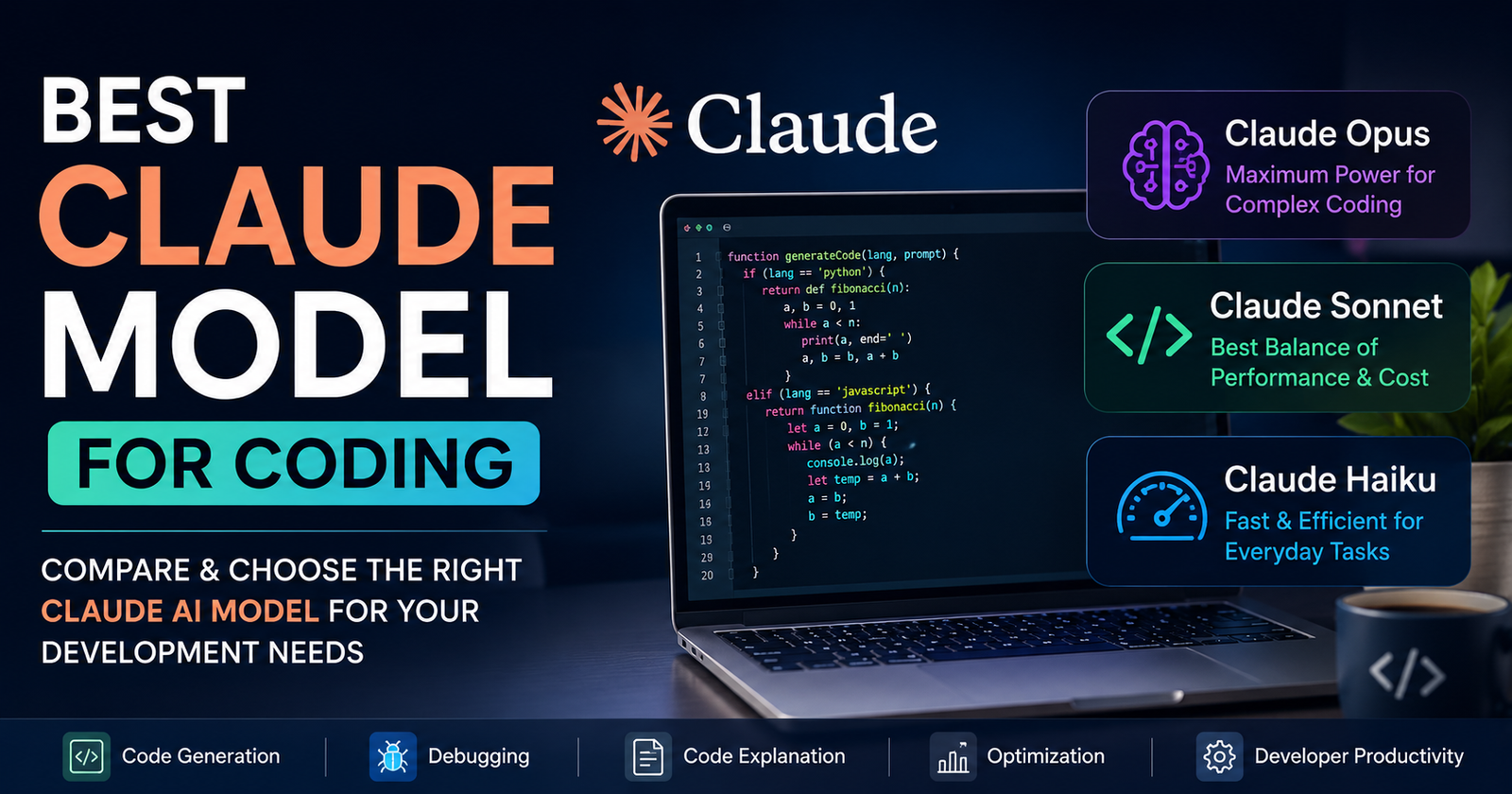
The latest Claude family includes Opus, Sonnet, and Haiku models. Each model performs coding tasks differently. While all models can generate code, they do not deliver the same level of accuracy or reasoning.
When evaluating the best Claude model for coding, developers should consider project complexity, response speed, budget, and coding requirements. Understanding these factors helps identify the most suitable model for daily development work.
Claude Opus: The Most Powerful Claude Model for Coding
Many developers consider Claude Opus the best Claude model for coding when performance matters most.
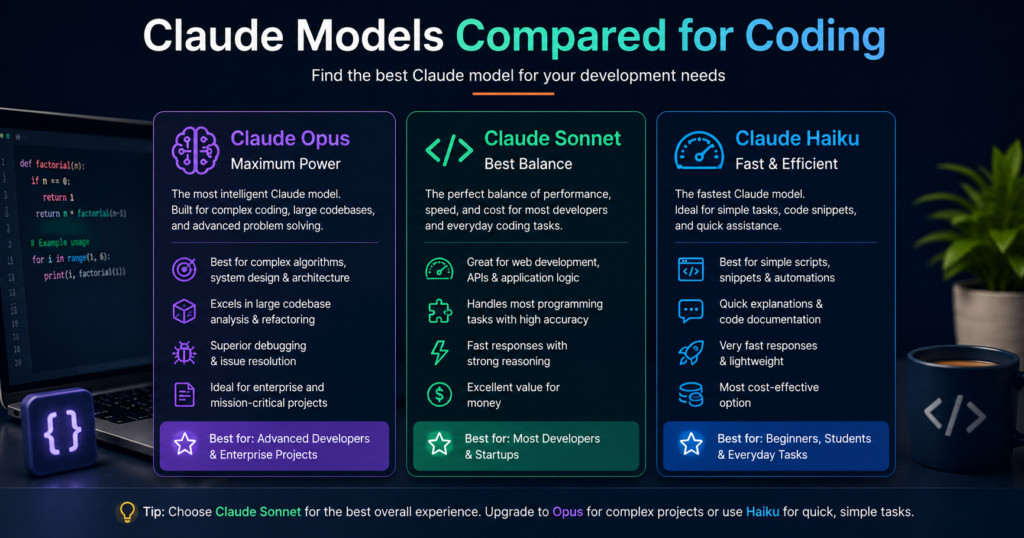
Claude Opus is built for advanced reasoning and difficult programming challenges. It can analyze large codebases, understand project structures, and provide detailed solutions for complex software problems.
Developers working on enterprise applications often prefer Opus because it handles sophisticated coding tasks with high accuracy. It performs well when creating system architecture, optimizing algorithms, reviewing large amounts of code, and solving difficult bugs.
Another advantage of Opus is its ability to maintain context over long conversations. Developers can discuss a project in detail without repeatedly explaining previous steps. This feature makes it useful for long-term coding sessions.
Opus also excels at code refactoring. It can improve code quality, suggest better practices, and identify potential performance issues. For teams working on large software products, this capability provides significant value.
The main drawback is cost. Opus is usually more expensive than other Claude models. However, developers who need top-level coding performance often find the investment worthwhile.
Claude Sonnet: The Best Balance of Performance and Cost
For many users, Claude Sonnet is the best Claude model for coding because it balances quality, speed, and affordability.
Sonnet delivers strong coding capabilities without the higher cost associated with Opus. It performs extremely well for daily programming activities such as writing functions, creating web applications, generating APIs, and fixing common coding issues.
Many software developers use Sonnet as their primary coding assistant because it responds quickly while maintaining high accuracy. It can handle most development tasks that freelancers, startups, and small businesses encounter.
Another reason developers choose Sonnet is its versatility. It works effectively across many programming languages, including Python, JavaScript, TypeScript, PHP, Java, C#, and Go.
Sonnet also helps with technical documentation. Developers can use it to generate comments, explain code, write project documentation, and create user guides.
For most coding professionals, Sonnet offers the best combination of intelligence and efficiency. If you want strong coding performance without paying premium costs, Sonnet is often the smartest choice.
Claude Haiku: Fast and Efficient for Simple Coding Tasks
Claude Haiku serves users who prioritize speed and efficiency.
Although Haiku is not usually considered the best Claude model for coding overall, it performs well for lightweight development tasks. It provides quick responses and can handle straightforward coding requests effectively.
Developers often use Haiku for simple scripting, code explanations, syntax corrections, and documentation generation. It can also assist with routine coding tasks that do not require deep reasoning.
One of Haiku’s biggest strengths is response time. Fast answers help developers maintain workflow momentum when working on repetitive tasks.
Haiku is also a practical option for organizations that need AI support at scale. Teams can automate documentation, generate templates, and handle basic programming requests without using more expensive models.
However, Haiku may struggle with highly complex debugging, advanced architecture design, or large-scale software analysis. Developers working on challenging projects may need Sonnet or Opus for better results.
Despite these limitations, Haiku remains a valuable tool for many coding scenarios.
Claude Model Comparison Table
The following table helps compare the major Claude models for coding.
| Feature | Claude Opus | Claude Sonnet | Claude Haiku |
|---|---|---|---|
| Coding Accuracy | Excellent | Very Good | Good |
| Complex Problem Solving | Excellent | Very Good | Moderate |
| Response Speed | Fast | Very Fast | Extremely Fast |
| Cost Efficiency | Moderate | Excellent | Excellent |
| Large Codebase Analysis | Excellent | Very Good | Limited |
| Debugging Capability | Excellent | Very Good | Good |
| Documentation Writing | Excellent | Excellent | Good |
| Best For | Advanced Developers | Most Developers | Basic Tasks |
This comparison shows why many developers choose Sonnet as the best Claude model for coding in everyday situations.
Which Claude Model Is Best for Different Types of Developers?
The best Claude model for coding depends on your development goals and project requirements.
Freelancers often benefit from Sonnet because it delivers reliable coding assistance at a reasonable cost. Freelance developers typically work on websites, APIs, and automation projects where Sonnet performs exceptionally well.
Startup teams frequently select Sonnet because it supports rapid development without increasing operational expenses. It helps teams move quickly while maintaining code quality.
Enterprise developers may prefer Opus. Large organizations often manage complex systems that require advanced reasoning and detailed code analysis. Opus provides the depth needed for these environments.
Students and beginners can start with Haiku. It offers fast explanations and coding support while remaining cost-effective. Learners can practice programming concepts without requiring premium AI resources.
The right choice depends on your workload. Understanding your needs will help you select the most suitable Claude model.
How Claude Helps Developers Write Better Code
The popularity of Claude continues to grow because it improves developer productivity.
The best Claude model for coding can generate code snippets, explain programming concepts, identify bugs, and suggest optimizations. This support allows developers to focus more on solving business problems and less on repetitive tasks.
Claude also improves learning. Developers can ask questions about frameworks, libraries, algorithms, and best practices. Instead of searching through multiple resources, they can receive clear explanations instantly.
Another major benefit is debugging assistance. Claude can review error messages, identify root causes, and recommend solutions. This process saves valuable development time.
Code review is another area where Claude adds value. Developers can use AI-generated feedback to improve readability, maintainability, and performance.
As AI technology advances, coding assistants like Claude continue to become more valuable development partners.
Tips for Getting Better Coding Results with Claude
Choosing the best Claude model for coding is important, but prompt quality also matters.
Developers should provide clear instructions when requesting code. Detailed prompts help Claude understand project requirements and generate more accurate results.
Sharing context is equally important. Include information about programming languages, frameworks, project goals, and expected outputs. More context leads to better responses.
Developers should also break large problems into smaller tasks. This approach improves clarity and helps Claude generate higher-quality solutions.
Testing generated code remains essential. Although Claude produces impressive results, developers should always review and validate output before deployment.
Combining strong prompts with the right Claude model creates the best development experience.
Future of Claude AI in Software Development
The future looks promising for AI-assisted coding.
As Claude models continue to improve, developers can expect even better performance, reasoning, and coding accuracy. Future versions may handle larger projects, understand business requirements more effectively, and automate more aspects of software development.
The best Claude model for coding today may become even more capable through future updates. Developers who embrace AI tools early can gain a competitive advantage in productivity and efficiency.
AI will not replace developers. Instead, it will help them work faster and solve problems more effectively. The combination of human expertise and AI assistance creates powerful development workflows.
Organizations that adopt AI coding assistants can reduce development time, improve code quality, and accelerate innovation.
Conclusion
If you are searching for the best Claude model for coding, the answer depends on your needs.
Claude Opus delivers the highest level of coding performance and works best for complex software projects. Claude Sonnet provides the ideal balance of quality, speed, and cost, making it the preferred choice for most developers. Claude Haiku offers fast responses for simple coding tasks and basic development support.
For most programmers, Claude Sonnet is the best Claude model for coding because it combines strong coding abilities with excellent value. Developers who need maximum intelligence can choose Opus, while those focused on speed and affordability can select Haiku.
By understanding the strengths of each model, you can choose the Claude AI assistant that matches your workflow and helps you build better software more efficiently.
Frequently Asked Questions
What is the best Claude model for coding?
Claude Sonnet is the best choice for most developers because it offers excellent coding performance, fast responses, and reasonable cost. For advanced projects, Claude Opus is the strongest option.
Is Claude Opus better than Claude Sonnet for coding?
Claude Opus performs better on highly complex coding tasks and large codebases. However, Sonnet provides better value for everyday development work.
Can Claude write code in multiple programming languages?
Yes. Claude supports many programming languages, including Python, JavaScript, TypeScript, PHP, Java, C#, Go, Ruby, and others.
Is Claude good for debugging code?
Yes. Claude can analyze errors, explain issues, suggest fixes, and help developers solve coding problems faster.
Should beginners use Claude for learning programming?
Yes. Claude can explain coding concepts, provide examples, and help beginners understand programming topics in a simple and easy way.